WhatsApp Status
Video Compressor
Stop blurry Status videos! The StatusDrop Android app prepares HD videos up to 300MB on your phone — auto-split into 29s clips & delivered to your WhatsApp free
Get the StatusDrop Android app
The StatusDrop web compressor has been retired. Server-side video processing was expensive to operate, so StatusDrop now runs as an Android app that prepares videos on your phone. This keeps StatusDrop free and sustainable. Join the closed beta to keep using StatusDrop. Use the same Google account in both steps; StatusDrop does not collect your email.
Step 1 is required. You cannot become a tester or install the app until you join the Google Group using the same Google account. Complete Step 1 first, then click Step 2 to opt in and install StatusDrop from Google Play.
Post your video in full HD
Swipe through the complete WhatsApp flow. Tap any image to open it full size.
-
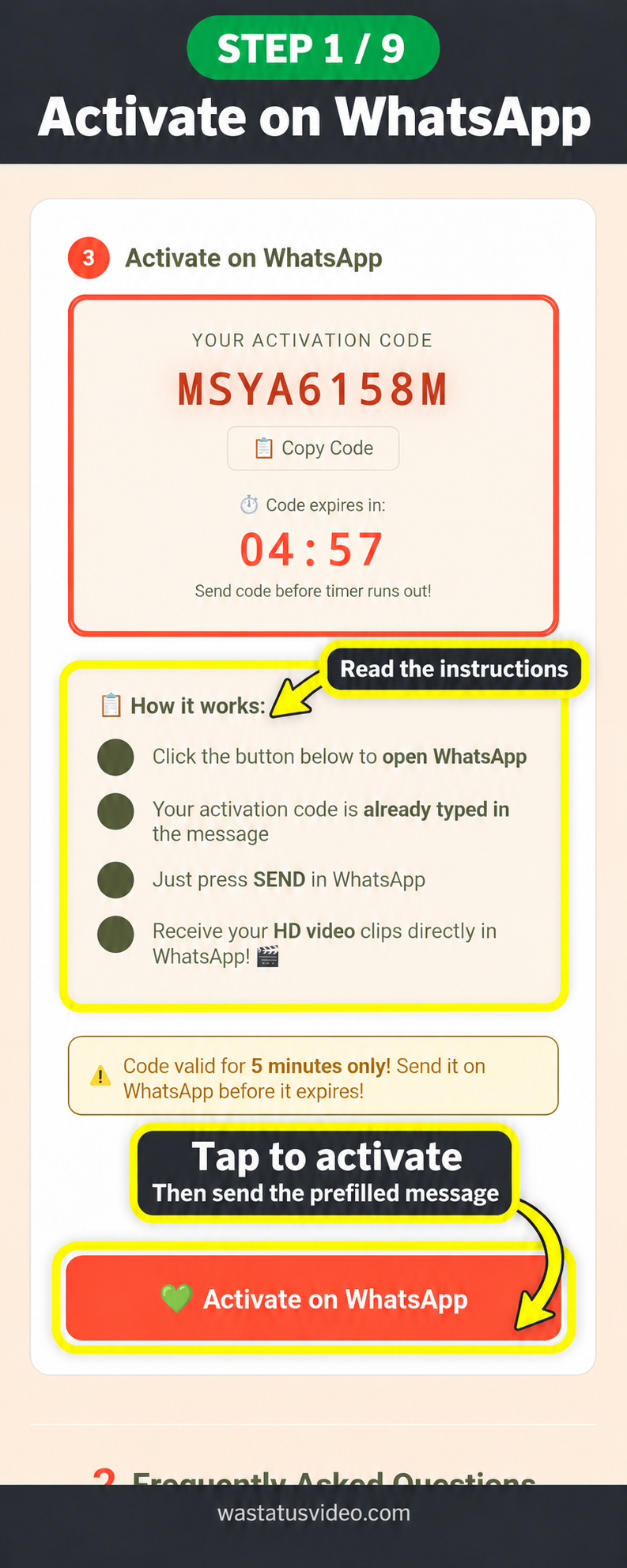 Step 1 of 9Activate on WhatsAppTap image to view full size
 -
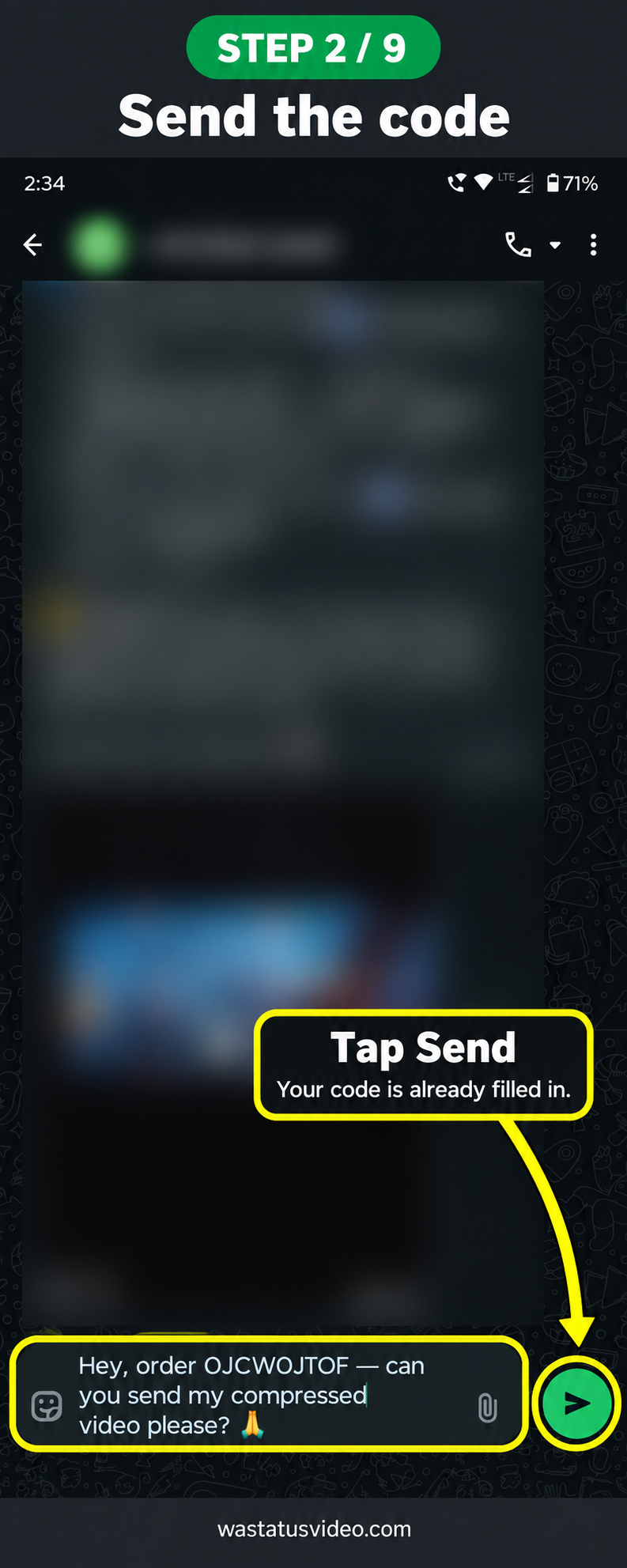 Step 2 of 9Send the codeTap image to view full size
 -
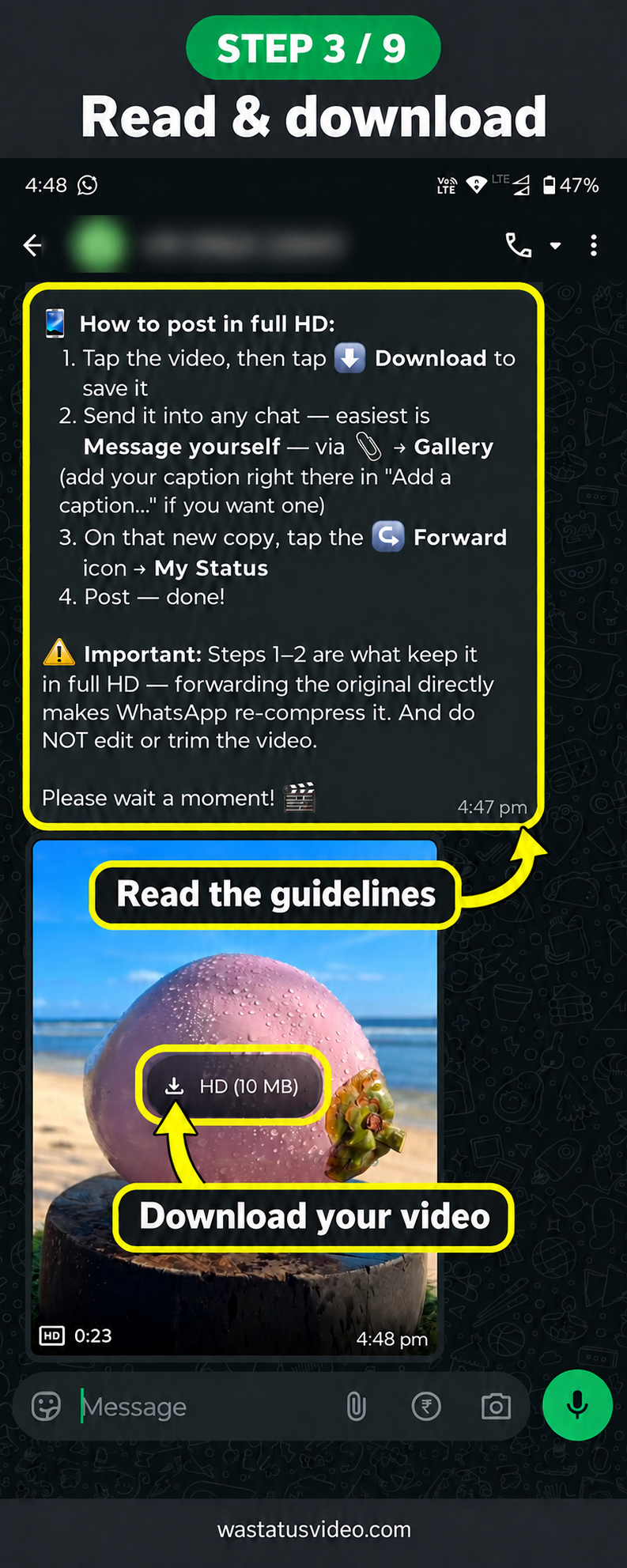 Step 3 of 9Read and downloadTap image to view full size
 -
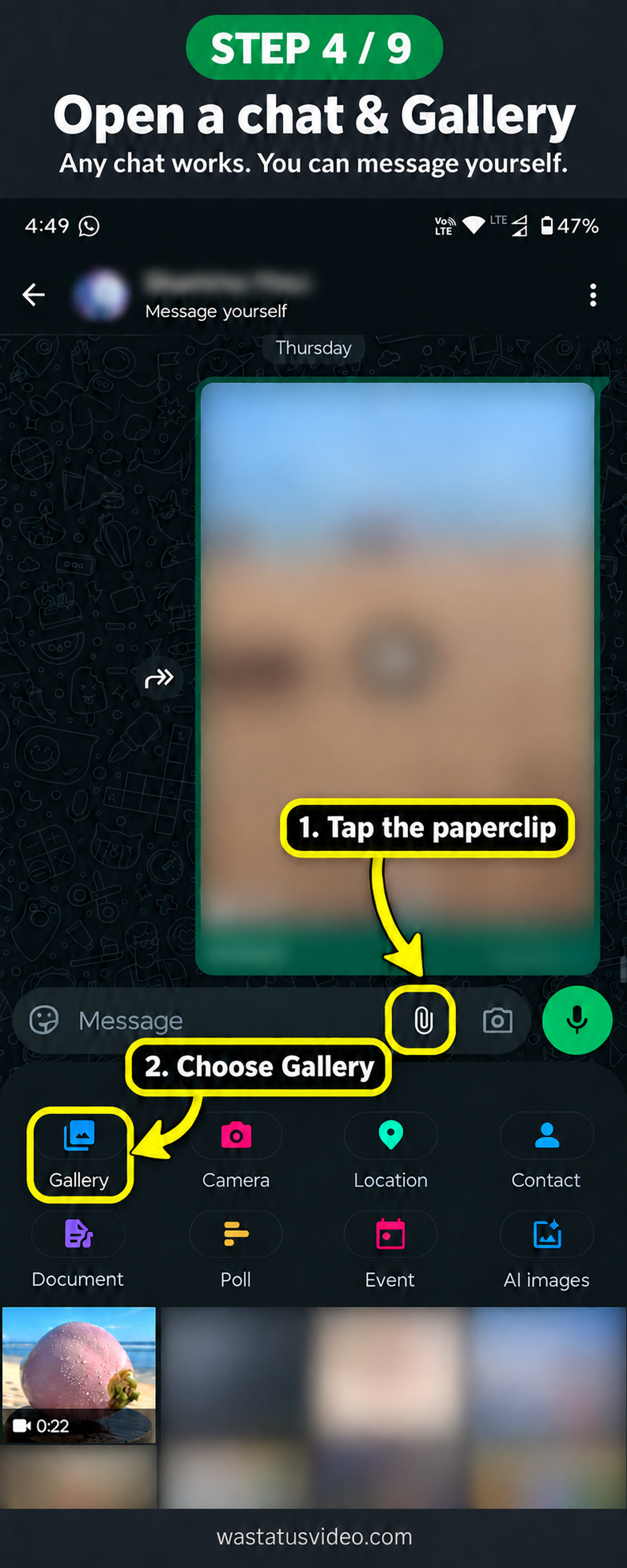 Step 4 of 9Open a chat and GalleryTap image to view full size
 -
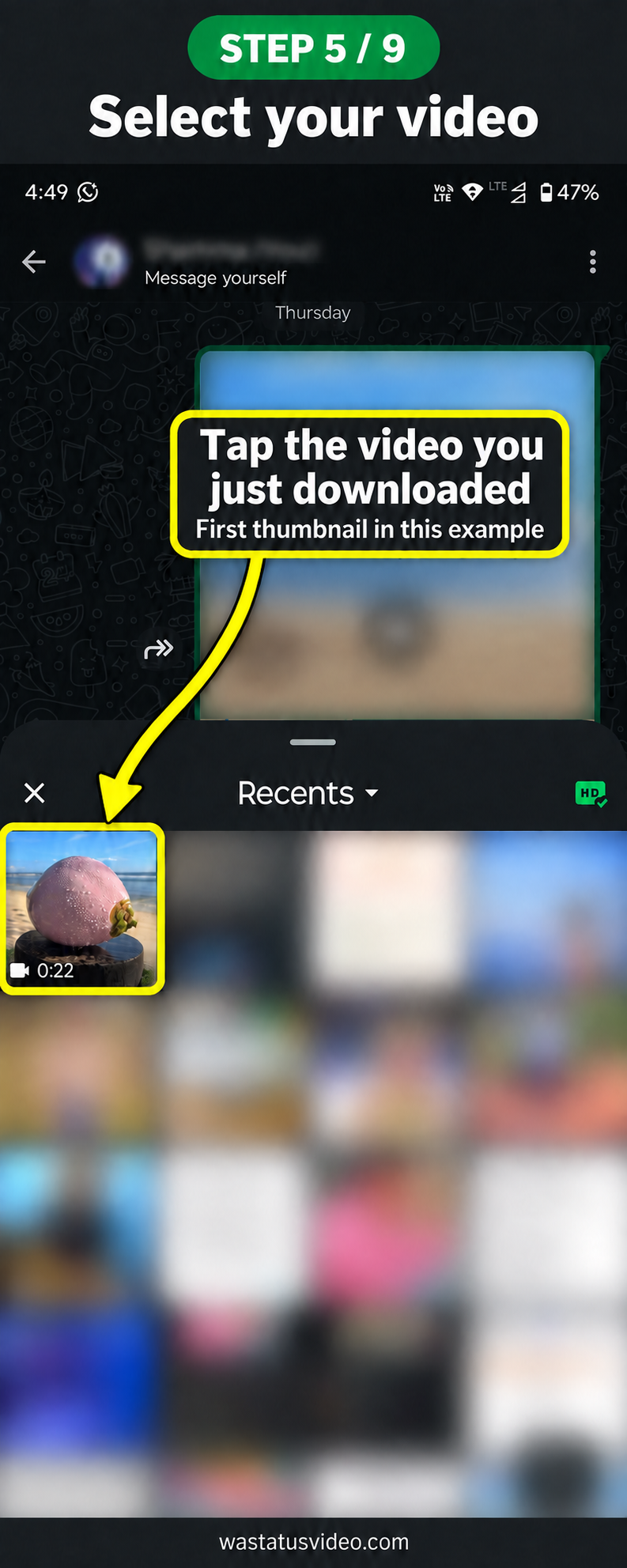 Step 5 of 9Select your videoTap image to view full size
 -
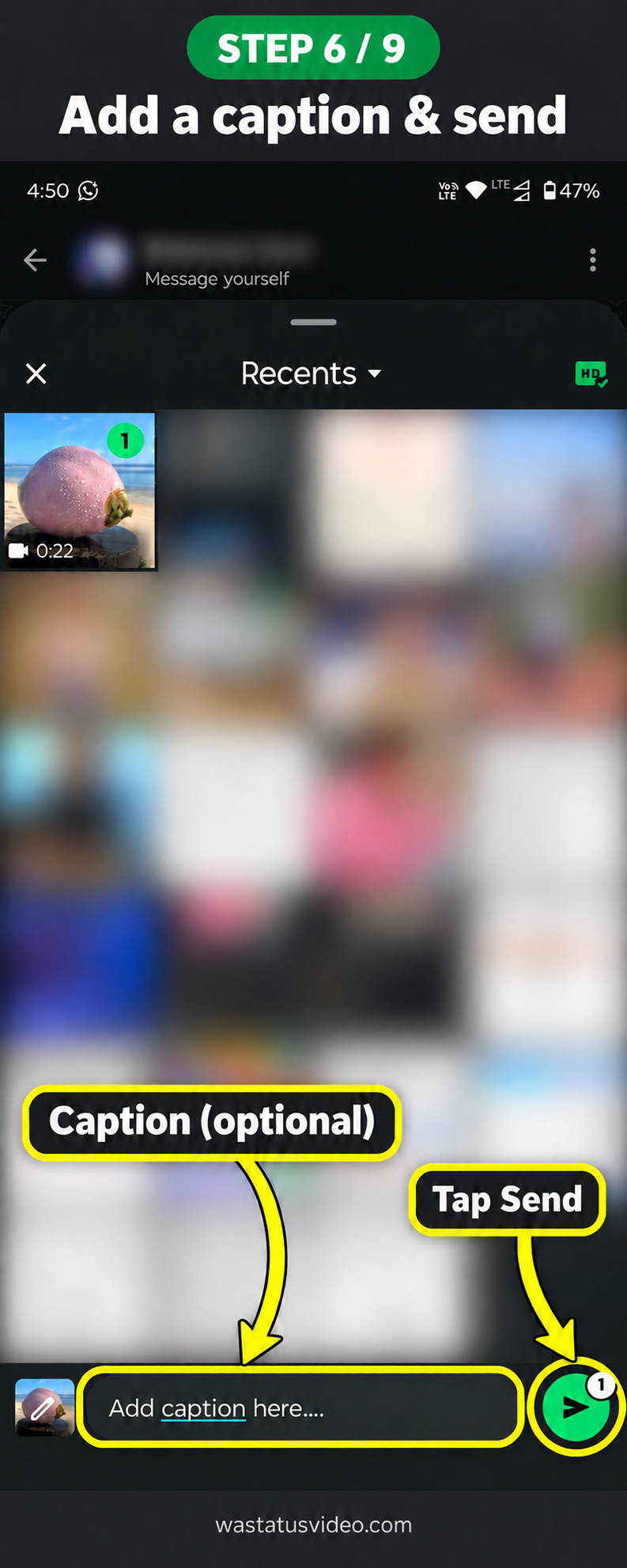 Step 6 of 9Add a caption and sendTap image to view full size
 -
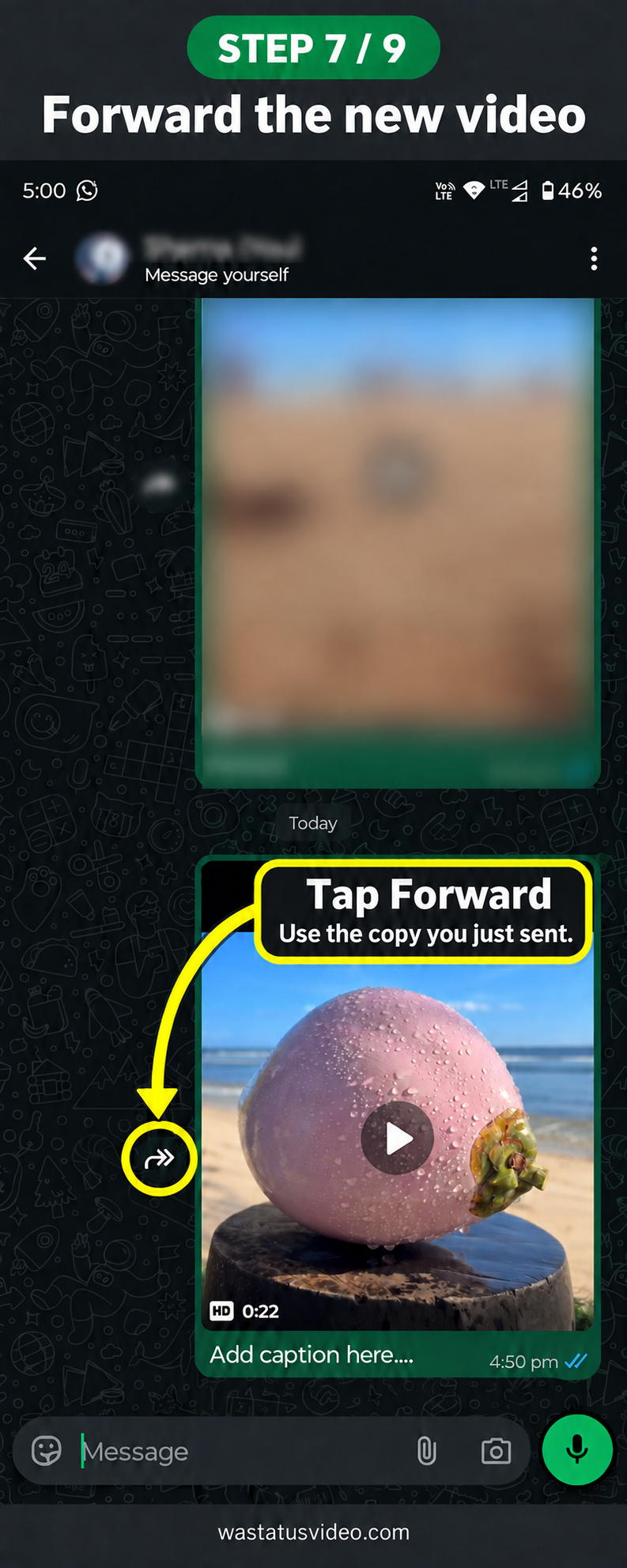 Step 7 of 9Forward the new videoTap image to view full size
 -
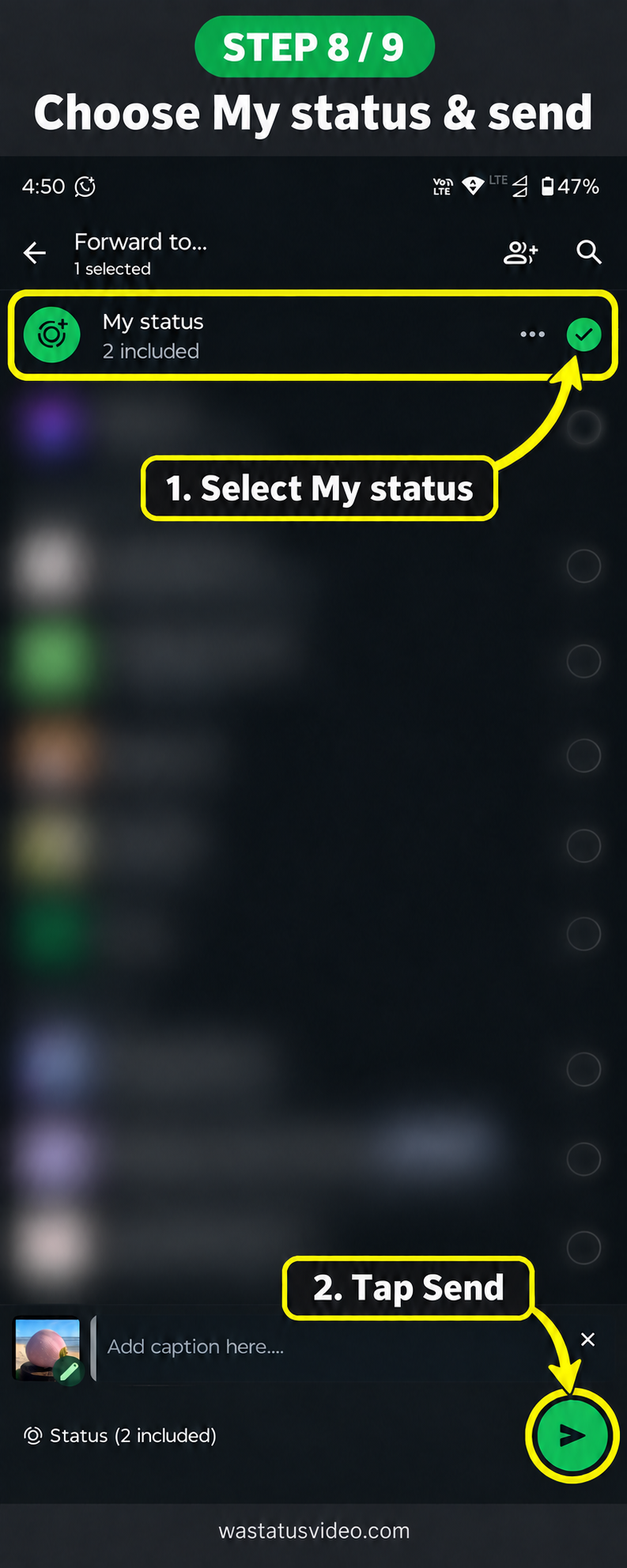 Step 8 of 9Choose My Status and sendTap image to view full size
 -
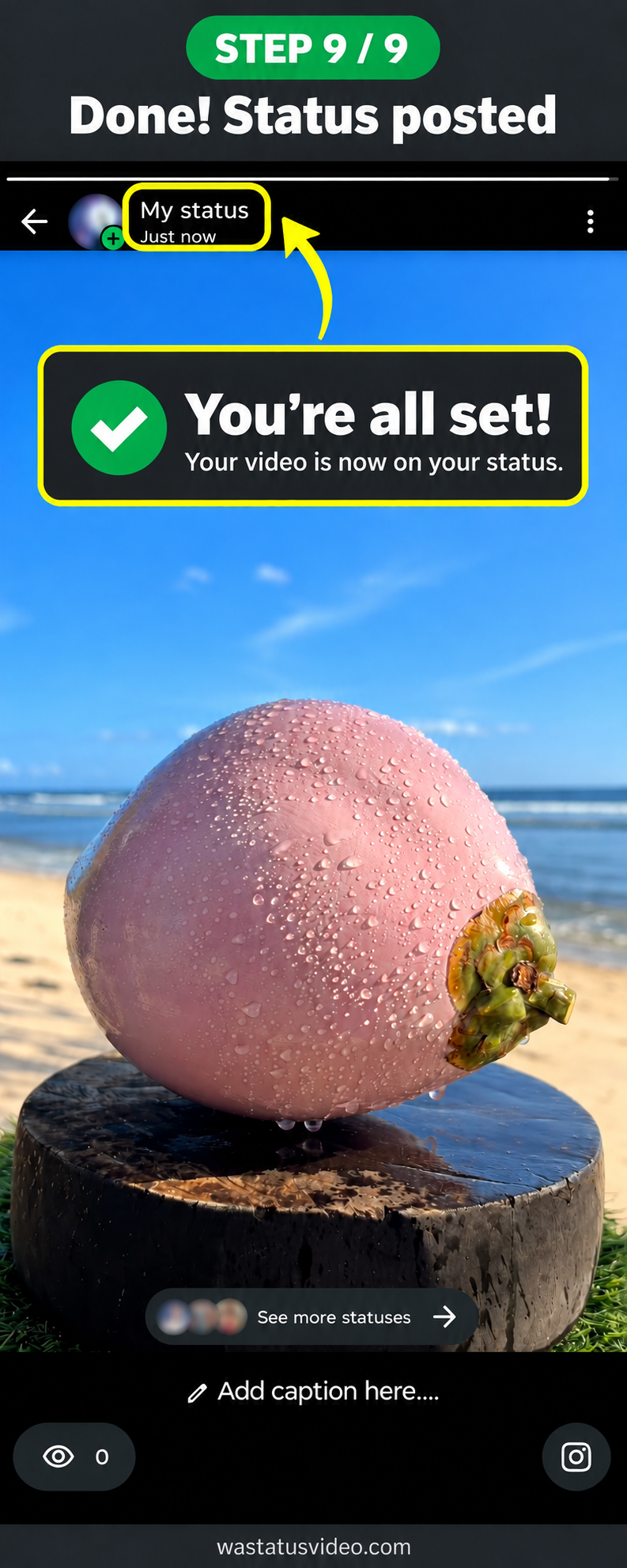 Step 9 of 9Done! Status postedTap image to view full size
❓ Frequently Asked Questions
Why is my WhatsApp Status video blurry?
WhatsApp automatically destroys video quality to save bandwidth. StatusDrop pre-compresses your video to the exact specs WhatsApp expects — so it stays HD quality when posted as a Status.
How do I upload a long video to WhatsApp Status?
WhatsApp Status only allows 29-second videos. StatusDrop automatically splits your long video into multiple 29-second clips and sends them all directly to your WhatsApp — completely free!
Is StatusDrop really free?
Yes! 100% free. No login, no account, no watermark, no hidden fees. Upload videos up to 300MB and receive them in HD quality directly on WhatsApp.
What video formats are supported?
StatusDrop supports MP4, MOV, AVI, MKV, 3GP and WMV formats up to 300MB in file size.
Is my video private and secure?
Yes! Your video is automatically deleted from our servers within 5 minutes after being sent to your WhatsApp. We never store or share your videos.